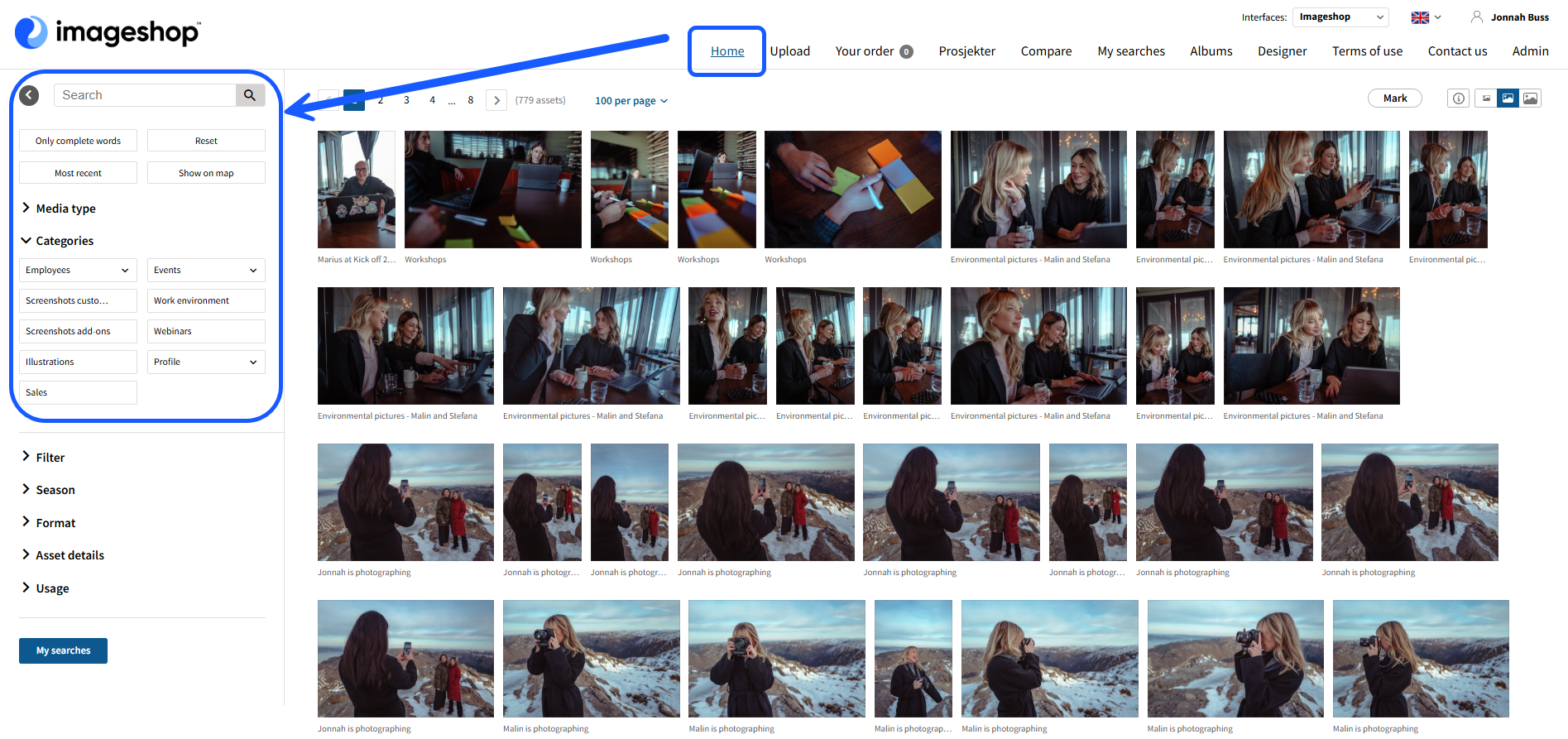
To search for an image, you can either search directly from the front page, or do a search from the "home" page.
Search from the front-page
Here you can search for text.- Type a word in the search box.
- Hit "enter" or click on the icon to the right.
- You will then be sent directly to an overview of all images that match your search.

Search from the home-page
Here you have more setting for more advanced searches. There are different ways to apply here, each point describes different ways of doing a search.- Do a search in the free text box - Press enter or icon to search.
- You can use "Only complete words" if you are going to search for at least 2 words, and the file must contain all the words to appear in the result. Press enter or icon for search.
- When you tick a category, the search will be done automatically for the categories or filters you have selected. Tick the categories and filters you want to find the right image, you can also combine filtering with a search term.
- You can use "Reset" to remove all filtering.