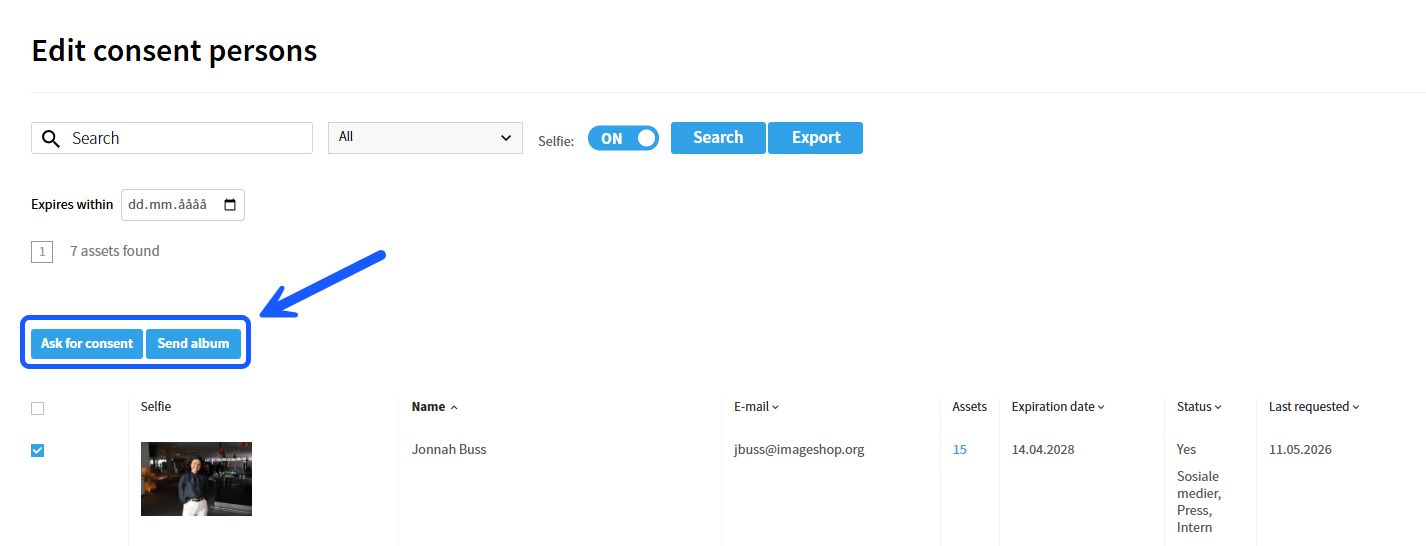
In the consent module, it is possible to send out a request for consent or distribute an album to multiple individuals simultaneously. This is highly time-saving if consent needs to be gathered from an entire group or several people at once. Below you will find a guide on how to do this.
Note: The consent module is an additional module in Imageshop and carries an extra cost. If your company wishes to activate this module, please contact us at support@imageshop.no.
How to perform a bulk distribution:
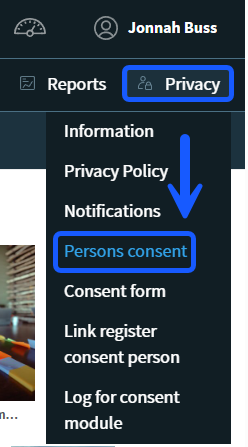
- Log in to the administration panel (Admin) and click on «Privacy» in the menu bar.
- Select the «Persons consent» option from the menu.
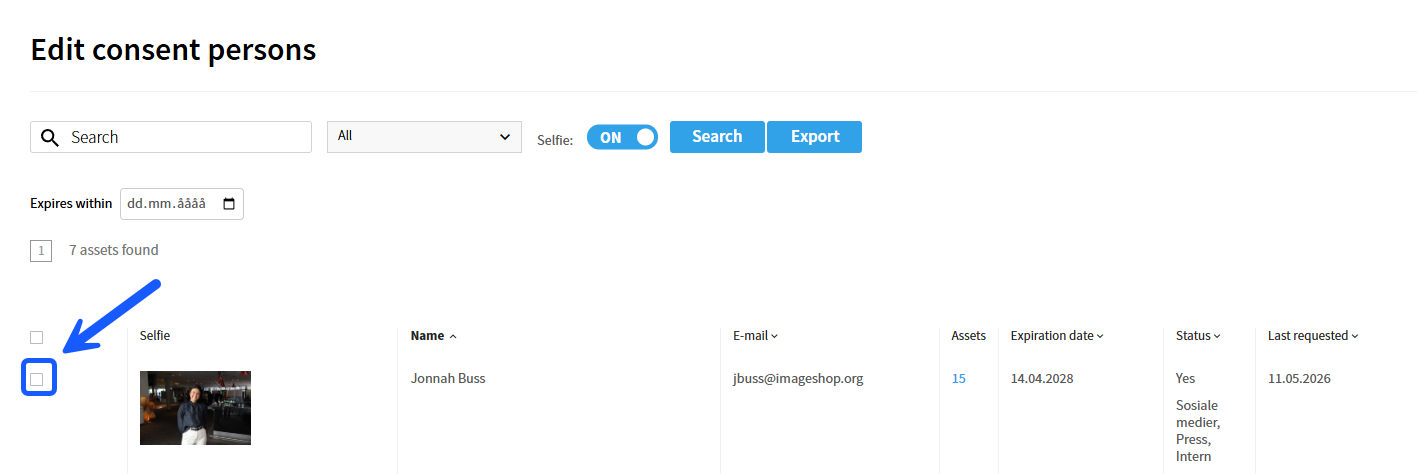
- Check the box to the left of each person you wish to request consent from or send an album to, as illustrated in the image below.
- After selecting the relevant individuals, click on either «Ask for consent» or «Send album» in the top toolbar. The system will then automatically send the message out to all the selected individuals.