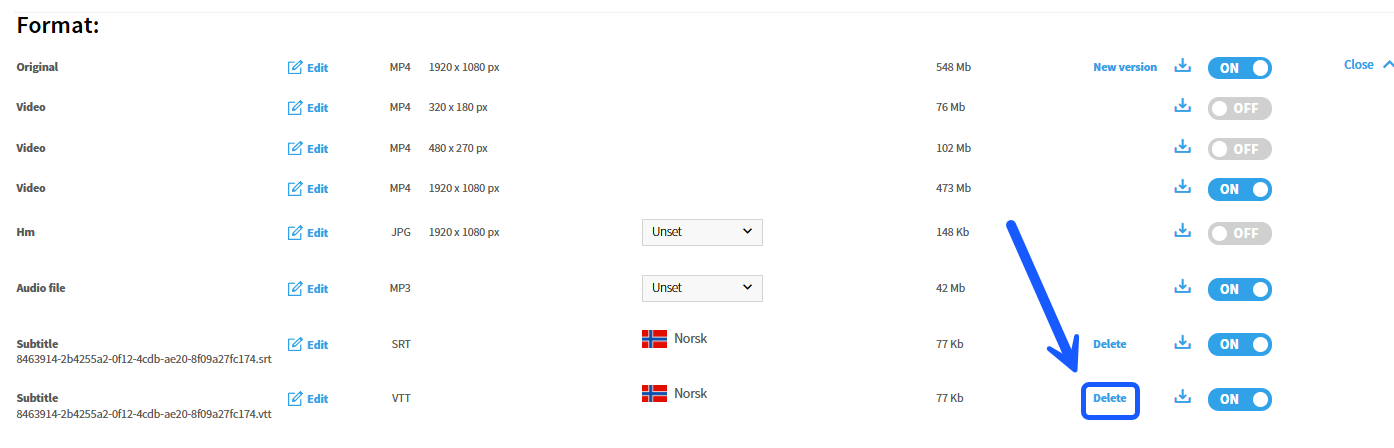
Subtitles are delivered in different file formats depending on where and how they are to be used. SRT files are primarily used for videos that are downloaded and played locally on a PC. VTT files, on the other hand, are used when a video is played directly in a web browser – for example, in Imageshop's own video player or via a permalink. When editing subtitles, it is therefore important to be aware of the video's intended use and which file type you are editing.
How to edit video subtitles in Imageshop
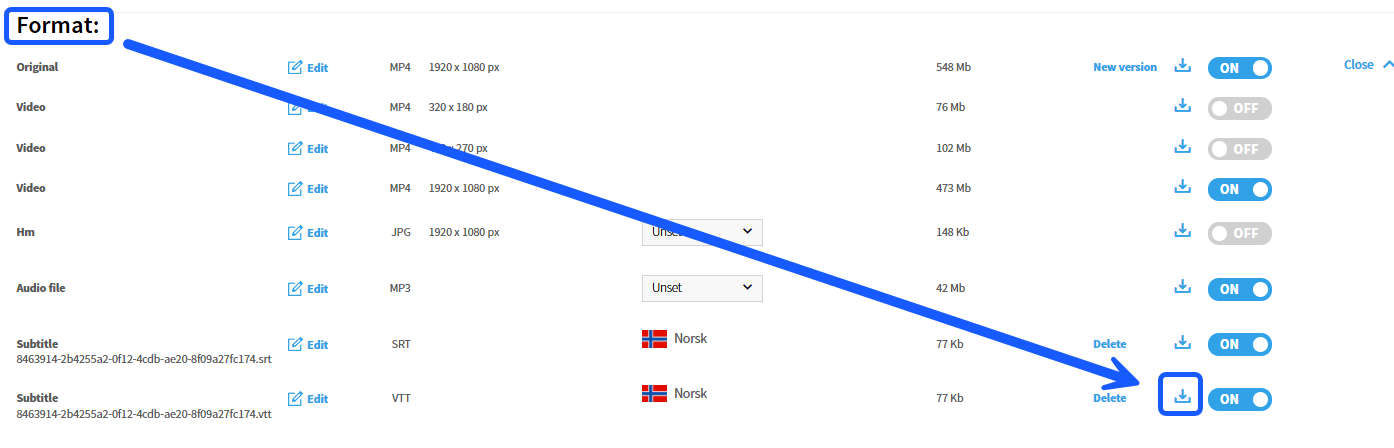
- Download the file: Go to the relevant video in Admin and click on the tab «Format». Here you will find an overview of the various video versions and accompanying subtitle files. Click the download button to download the subtitle file to your computer.
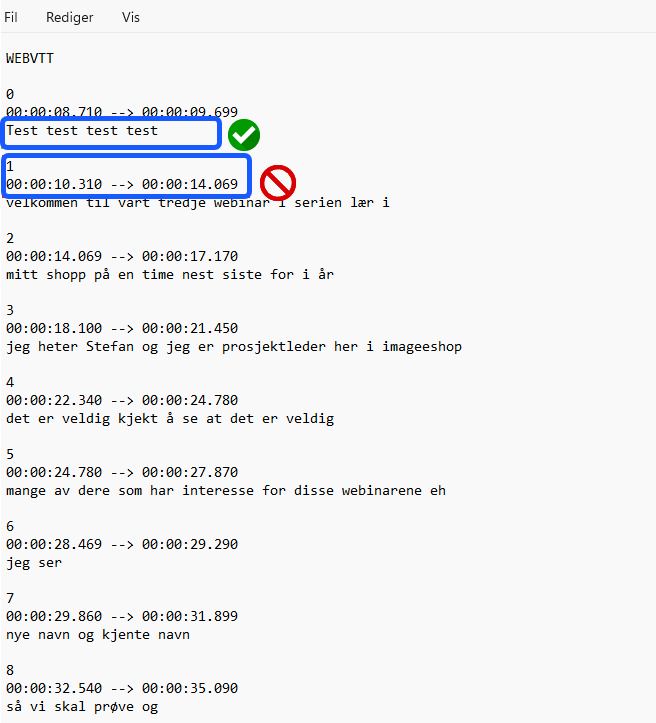
- Open the file in Notepad: You can use various editing tools, but we recommend using Notepad or a similarly simple text editor to avoid hidden formatting in the file.
- Edit the text: It is extremely important that you only make changes to the actual dialogue text. Do not touch numbers, timestamps, or existing spaces in the file layout. Change ONLY the actual text lines themselves.
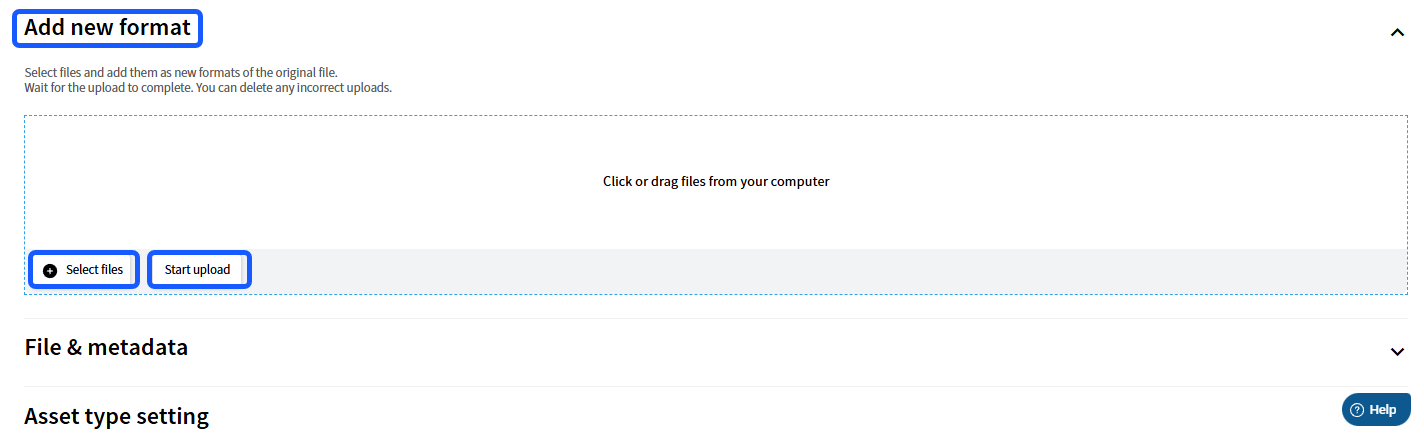
- Upload the file: When you are finished editing, upload the updated subtitle file to the video as a new format.
- Select the language for the subtitle: Click on the edit icon (the pencil icon) on the newly uploaded file, specify which language the subtitle belongs to, and save the change.
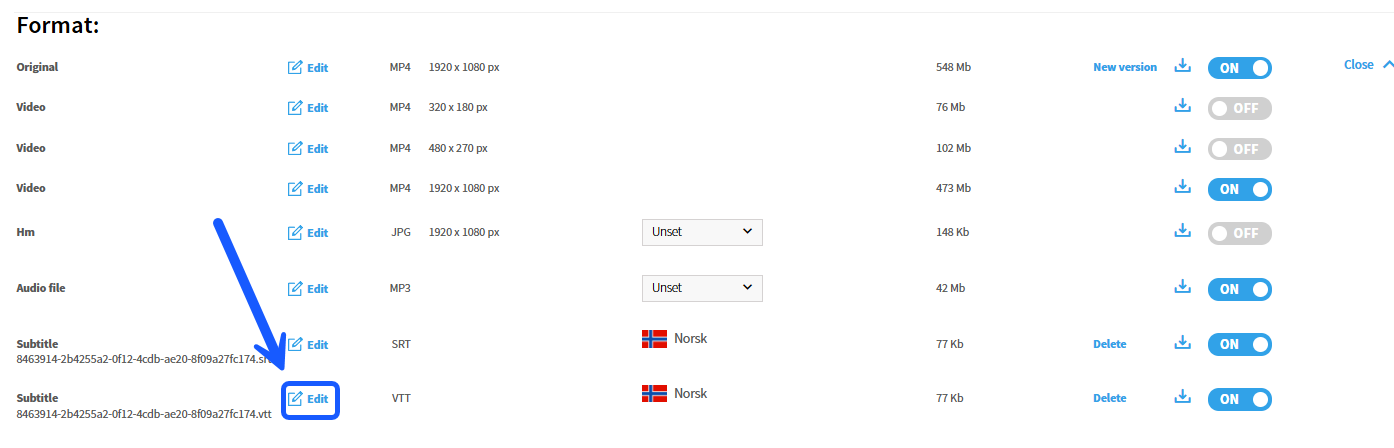

- Delete the old subtitle: To prevent the system from operating with duplicate subtitle files for the same language, you must delete the original file. Click on «Delete» on the old subtitle line.