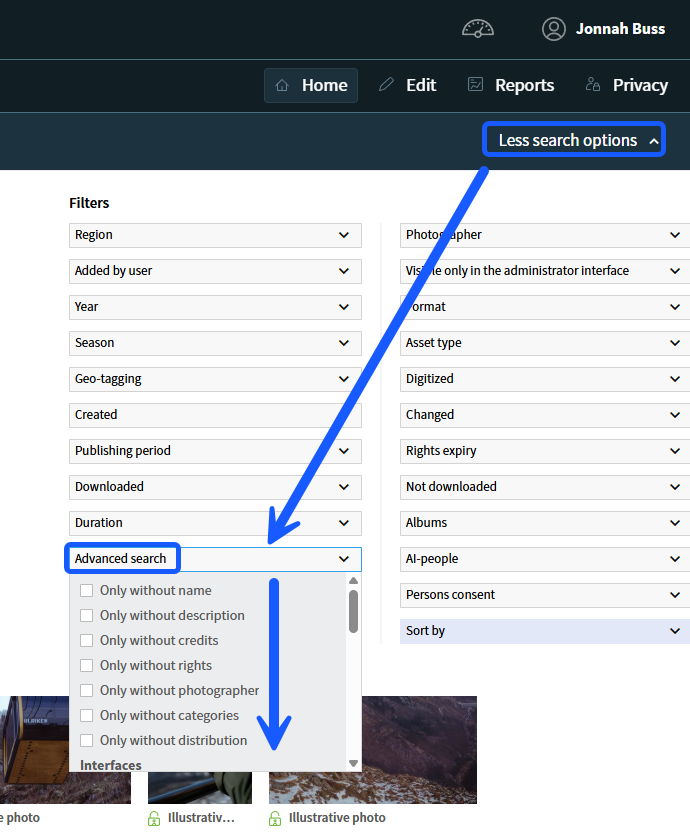
In the administration, you can easily filter out images that are missing metadata or have not been tagged sufficiently. This is a useful tool to ensure the quality and searchability of your image bank.
How to use advanced search to find untagged images
- Log in to the administration via admin5.imageshop.no.
- Click on the «More search options» button in the top right corner. *(Note that the button text changes to «Less search options» once activated)*.
- Locate the drop-down menu or filter named «Advanced search». The placement of this field may vary slightly depending on your specific setup.
- Select what you want to search for. For example, you can choose to filter for images missing:
- Name
- Description
- Credit
- Photographer
- Click on «Search». You will now see an overview of all images that are missing the information you selected in the previous step, allowing you to easily update them.