In Imageshop, you can set a focal point on images. The focal point determines which part of the image is most important and helps Imageshop automatically crop and adapt images for websites and different layouts. This is especially useful when the main subject is not centered in the image, or when you want better control over how images are displayed across different formats and screen sizes.
Set or edit the focal point on a single image
- Log in to admin5.imageshop.no.
- Open the image you want to edit.
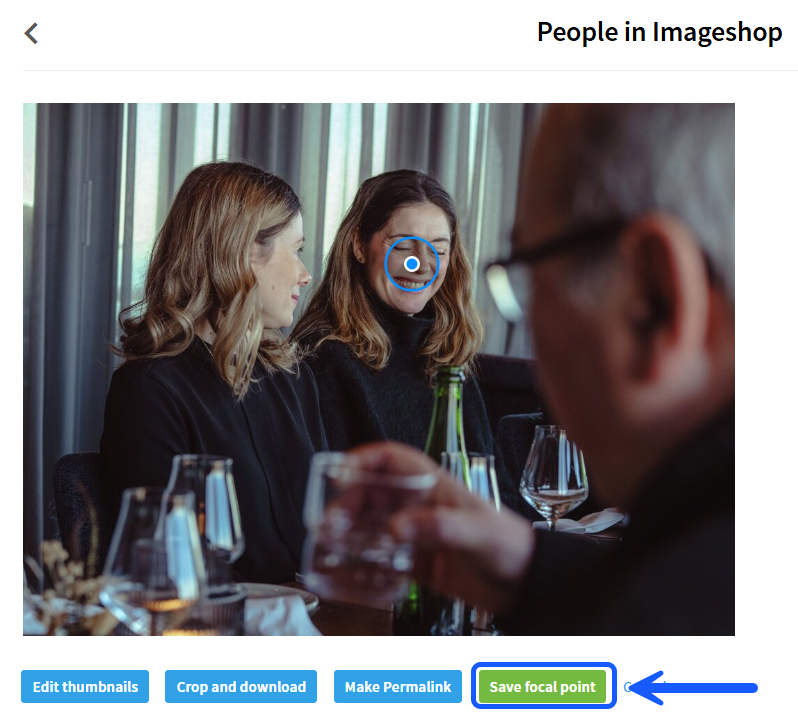
- Click “Edit focal point”.
- Set or move the focus point by clicking on the desired area in the image.
- Click “Save focal point”.
Edit Focus Points on Multiple Images
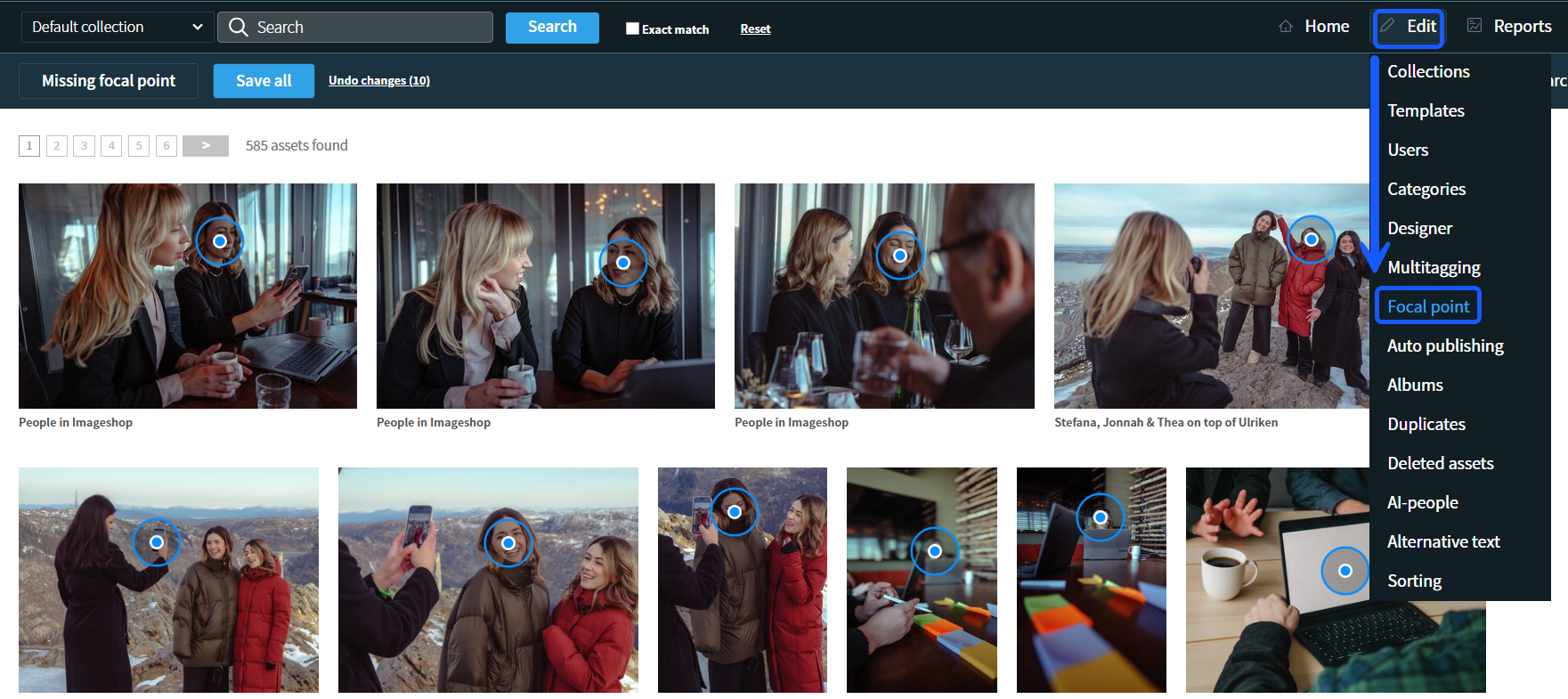
- Click “Edit”.
- Select “Focal point”.
- Set focal points on the images where needed.
- Click “Save all” at the top of the page.
Tips
- Use focal points when the main subject is not centered in the image.
- Focal points improve automatic cropping on websites and mobile views.
- You can easily update the focal point later if your needs change.