From February 1st, 2023, public sector organizations are required to publish an accessibility statement for all websites they are responsible for. If your organization uses Imageshop publicly, an accessibility statement must also be created for your media bank. You can read more at The Norwegian Digitalisation Authority.
WCAG Checklist for Imageshop
Imageshop has created a dedicated WCAG checklist to help organizations prepare their accessibility statement.
To access the checklist, please contact support@imageshop.no.
How to Add an Accessibility Statement in Imageshop
- Log in to admin – admin5.imageshop.no
- Select “Settings”.
- Select “Texts”.
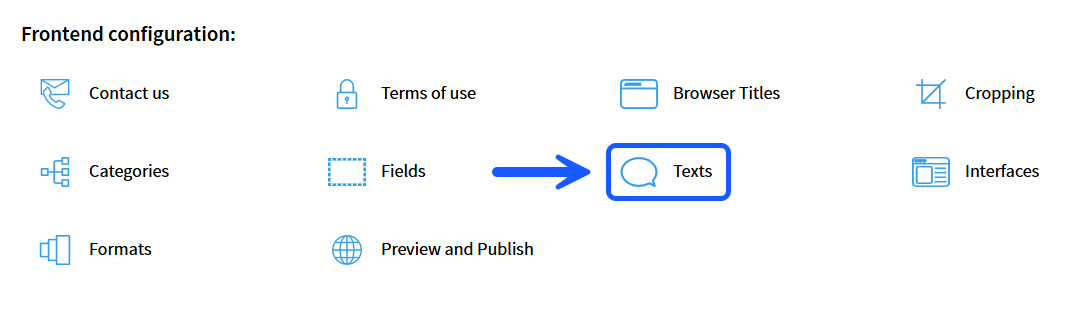
- Scroll to the bottom of the page until you find the section called “Add extra footer link”.
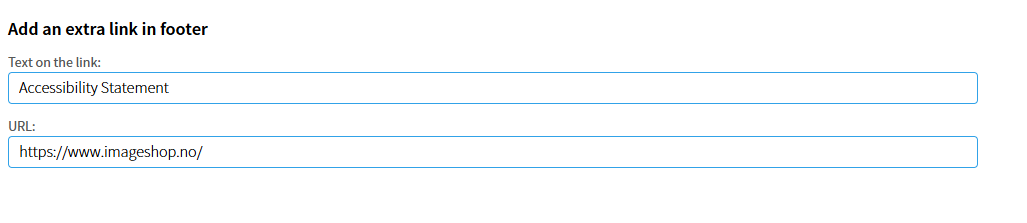
- Enter the text that should appear in the website footer.
- Add the URL to your organization’s accessibility statement.
- Click “Save changes” at the bottom of the page.
- Go back to “Settings” and select “Publishing”.
- Publish the relevant interfaces to make the changes visible.
Result
Once the changes have been published, the accessibility statement link will appear in the footer of your Imageshop solution.