In Imageshop, you can easily change the language in the administration panel to your preferred language. The selected language affects menus, buttons, and interface text, allowing you to work in the language that suits you best.
How to Change the Language
- Log in to admin5.imageshop.no.
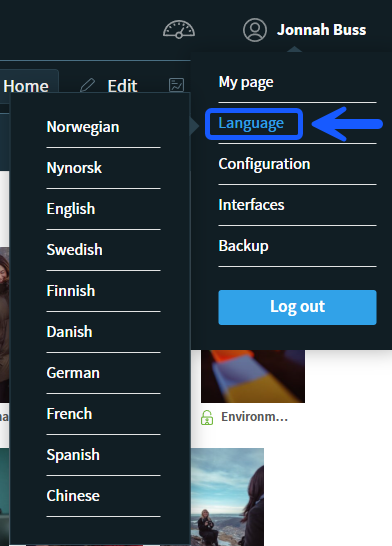
- Click your name in the top right corner.
- Select “Language”.
- Choose the language you want to use.
Tips
- The language change takes effect immediately after selecting a new language.
- You can switch back to another language at any time.
- The language setting only applies to your own user account in the administration panel.