Synonyms make searching in Imageshop smarter and more flexible. If someone searches for a word that has the same meaning as another word in the media library, they will still receive relevant search results. For example: If you add “dish” and “plate” as synonyms, users searching for “dish” will also find images tagged with “plate” – and vice versa. This makes it easier for users to find the correct content, even when different words are used in the metadata.
How to add aynonyms
- Log in to admin – admin5.imageshop.no
- Click your name in the top right corner and select “Settings”.
- Select “Synonyms”.
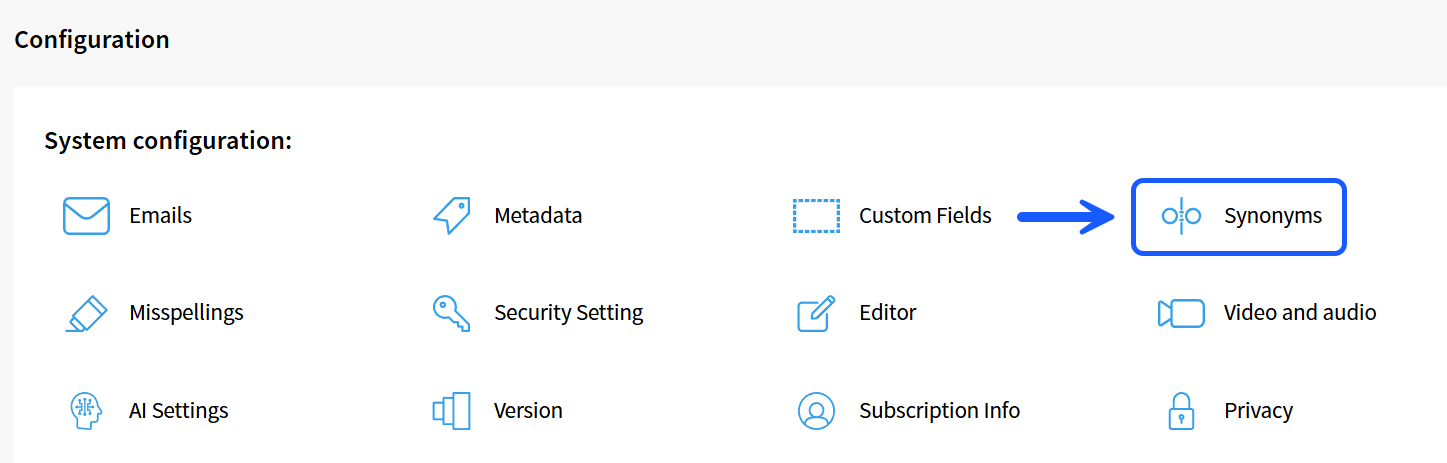
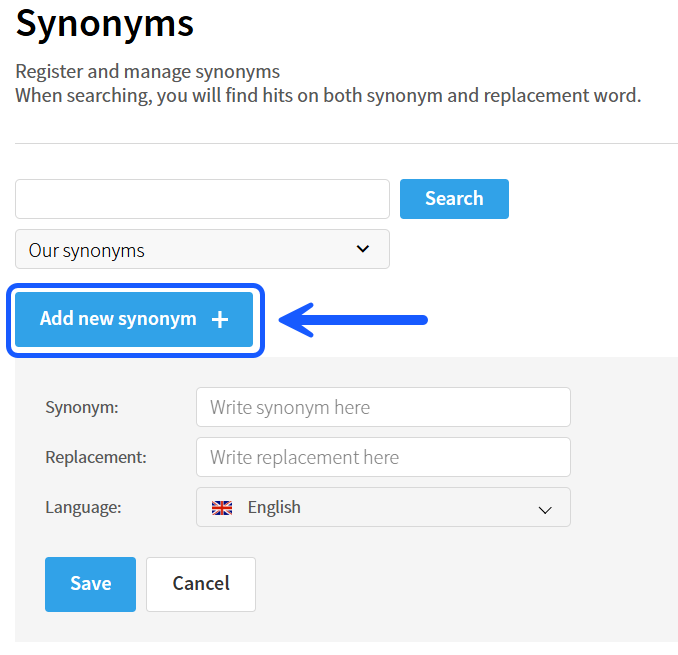
- Click “Add synonym”.
- Add the words you want to work as synonyms.
Example:
“Dish” ↔ “Plate” - Click “Save”.
Example
The example below shows how synonyms can be added in Imageshop:
Tips
- Add synonyms for words that are often used differently within your organization.
- Synonyms improve search results for both administrators and end users.
- You can add as many synonyms as you want.